

Optimize Shopify Conversion in 2026 with Micro-Interactions
Did you know that a simple button animation can increase your conversion rate by 35%? Yet, most Shopify beauty stores still overlook these micro-interactions that transform the user experience. These small interface details, from visual feedback when adding to the cart to the progress bar at checkout, create a fluid and reassuring experience that guides your visitors towards purchase. This guide explains how to identify, implement, and optimize the most effective micro-interactions for your Shopify cosmetic store, with quantified examples and a proven methodology.
Table of Contents
- Key Takeaways
- What is a Micro-Interaction and Why Does It Matter in E-commerce?
- Concrete Benefits of Micro-Interactions on Shopify: Figures and Beauty Use Cases
- Effectively Implementing Micro-Interactions on Shopify: Methodology and Tools
- Advanced Nuances to Consider for Successful Beauty Micro-Interactions
- Optimize Your Shopify Beauty Store with Tamara Agency
- Frequently Asked Questions
Key Takeaways
| Point | Details |
|---|---|
| 4-Component Structure | Each micro-interaction relies on a trigger, rules, feedback, and loops to create a cohesive experience. |
| Implementation Methodology | Initial UX audit, integration via CSS/JS or Shopify apps, systematic A/B testing, and measurement via Analytics over 90 days. |
| Measurable Conversion Gains | Micro-interactions can increase conversion rates by up to 35% and full checkout rates by 28% according to benchmarks. |
| Performance and Accessibility | Prioritize lightweight animations, respect motion reduce preferences, and optimize for mobile where 71% of traffic is concentrated. |
| Specific Beauty Application | 360° product zoom, texture animations, add-to-cart feedback, and progress bars adapted for cosmetic journeys. |
What is a Micro-Interaction and Why Does It Matter in E-commerce?
Micro-interactions represent those subtle moments when your interface responds to your visitors' actions. A heart filling up when a product is added to favorites, a button changing color on hover, a discreet notification confirming an item has been added to the cart. These details create a constant dialogue between your store and your customers.
Contrary to popular belief, micro-interactions are not just visual embellishments. They structure the user experience by providing immediate feedback on every action. Micro-interactions are composed of 4 essential elements that orchestrate their functioning. The trigger initiates the interaction, whether manual like a click or automatic like a scroll. The rules define what happens next. The feedback visually communicates the result to the user. Loops and modes determine if the interaction repeats or evolves.
This architecture allows us to distinguish between micro and macro-interactions. A macro-interaction involves several steps and complex objectives, such as completing a registration form. A micro-interaction focuses on a single, instant task. Adding a product to the cart constitutes a micro-interaction. Completing the entire purchase represents a macro-interaction composed of multiple micro-interactions.
For beauty brands, these details take on a particular dimension. Your customers seek a sensory experience even online. Micro-interactions compensate for the lack of physical contact with products by creating continuous fluidity and reassurance. They transform navigation into an immersive experience.
During a Shopify store redesign, integrating these elements from the design stage ensures overall consistency. Visitors intuitively perceive the quality of your interface through these micro-details. Each piece of feedback reinforces their trust and reduces friction that leads to abandonment.
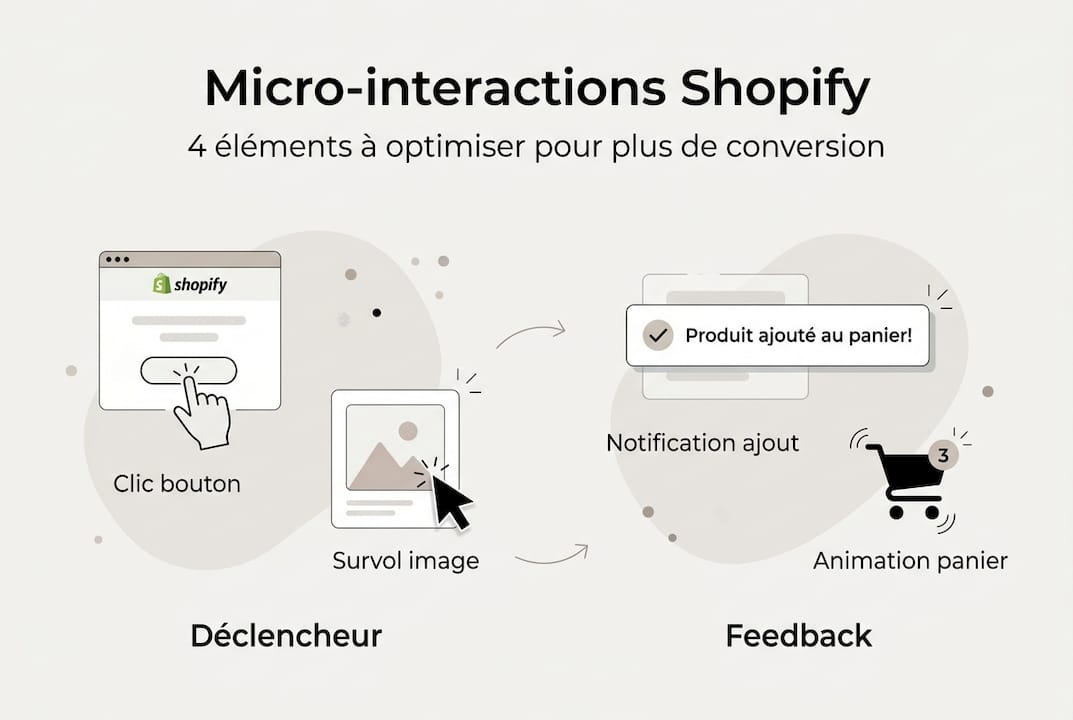
Pro tip: First, map out the key moments in the customer journey where the user expects confirmation. These friction points represent your priority opportunities for implementing effective micro-interactions.
Concrete Benefits of Micro-Interactions on Shopify: Figures and Beauty Use Cases
The data speaks for itself. Stores that optimize their micro-interactions observe conversion gains of up to 35% by reducing minor friction points in the journey. Checkout progress bars increase the completion rate by 28% by reassuring customers about the remaining steps. These figures demonstrate the direct impact on your revenue.
The beauty sector shows even more spectacular results. A cosmetic brand in the Philippines recorded a 50% increase in sessions and a 17% rise in average order value after optimizing its user experience, including targeted micro-interactions. These improvements notably came from interactive product zoom, shade selection animations, and visual feedback when adding to the cart.
| Type of Micro-Interaction | Measured Impact | Beauty Application |
|---|---|---|
| Add to cart feedback | +35% conversion | Product animation sliding to cart with visual confirmation |
| Checkout progress bar | +28% completion | Numbered steps with reassuring icons |
| Product hover zoom | +22% engagement | 360° zoom on texture and makeup application |
| Real-time validation | +18% completion | Instant availability check for shades |
Timing plays a crucial role in the effectiveness of these interactions. Feedback must appear within 200 milliseconds of the action to be perceived as instantaneous. Beyond that, the user experiences a latency that breaks the illusion of fluidity. The animations themselves should last between 200 and 500 milliseconds to remain perceptible without slowing down navigation.
Your beauty customers particularly appreciate micro-interactions that simulate the in-store experience. Hovering over a lipstick to reveal its texture on different skin tones, an animation of a perfume bottle rotating to show all angles, the smooth transition between serum variants. These details create an emotional connection with your products.
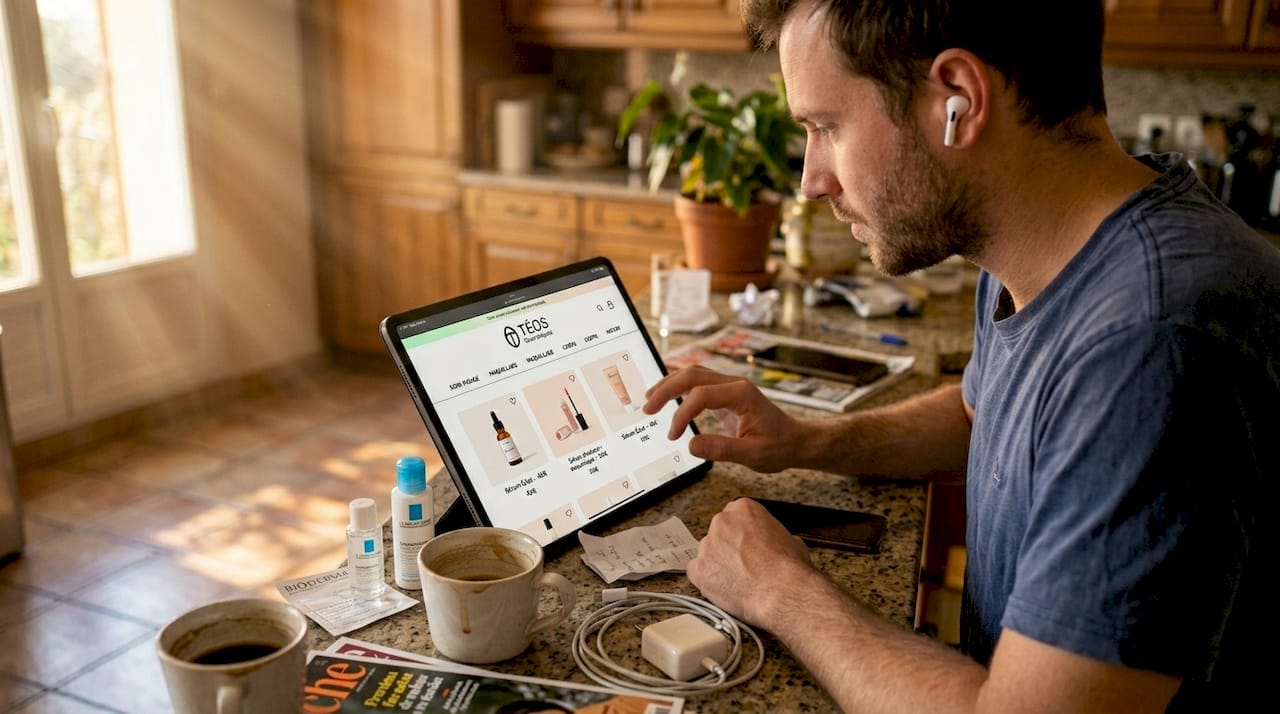
Integrating a coherent Shopify marketing strategy amplifies these results. Micro-interactions do not work in isolation but are part of an overall experience. Each touchpoint must reinforce your brand identity while naturally guiding towards conversion.
Pro tip: Prioritize micro-interactions around adding to the cart and checkout. These critical moments generate the most abandonment and offer the best return on investment when optimized.
Effectively Implementing Micro-Interactions on Shopify: Methodology and Tools
Start with a comprehensive UX audit of your current store. Install heatmap and session replay tools to identify where your visitors hesitate, click without result, or abandon. These friction zones reveal your priority improvement opportunities. Pay particular attention to product pages, the cart, and the checkout funnel.
The 90-day implementation methodology structures your approach into three phases. The first month focuses on audit and planning. Identify the 5 to 7 high-impact micro-interactions for your sector. Create mock-ups and validate animations with your team.
- Weeks 1 to 4: Comprehensive UX audit, installation of advanced analytics, mapping of friction points, definition of baseline KPIs
- Weeks 5 to 8: Development and integration of priority micro-interactions, technical performance testing, accessibility adjustments
- Weeks 9 to 12: Launching A/B tests, data collection, results analysis, iterative optimization based on real performance
For technical implementation on Shopify, several approaches coexist. Native CSS and JavaScript offer the most control and best performance. CSS transitions effectively handle simple animations like color changes or hover effects. JavaScript takes over for complex interactions requiring conditional logic.
Specialized Shopify apps accelerate deployment for teams without technical resources. Solutions like Loox for product reviews or Rebuy for recommendations integrate pre-designed micro-interactions. Be aware of their impact on loading speed, however. Each app adds weight to your store.
Shopify's Liquid code allows you to embed micro-interactions directly into your templates. This approach ensures native integration and optimal performance. You precisely control the behavior of each element without relying on third-party apps. The learning curve remains accessible with appropriate Shopify training.
A/B testing is the essential step to validate the effectiveness of your micro-interactions. Test one interaction at a time to isolate its real impact. Compare the version with and without the interaction on similar audience segments. Measure click-through rate, time spent, add-to-cart rate, and overall conversion rate.
Shopify Analytics and Google Analytics 4 provide essential metrics. Set up custom events to track specific interactions such as product hovers, clicks on variants, or zoom openings. This data precisely quantifies the added value of each micro-interaction.
Pro tip: Systematically integrate motion reduce preferences into your code. This CSS directive respects users sensitive to animations and improves your accessibility score without compromising the experience of other visitors.
Advanced Nuances to Consider for Successful Beauty Micro-Interactions
Overuse of animations is the main pitfall to avoid. Too many simultaneous movements create a chaotic interface that visually fatigues your visitors. Each micro-interaction must serve a precise functional purpose, not just decorate. Three to five animations per page is a reasonable maximum to maintain clarity.
Mobile performance requires particular attention. 71% of e-commerce traffic comes from mobile, but the conversion rate there remains 4 times lower than on desktop. Poorly optimized micro-interactions exacerbate this gap by slowing down loading and draining battery life. Prioritize CSS animations over JavaScript on mobile, and systematically test on real devices.
| Criterion | Desktop | Mobile |
|---|---|---|
| Optimal animation duration | 300-500ms | 200-300ms |
| Max number per page | 5-7 | 3-5 |
| Performance priority | Medium | Critical |
| Preferred animation type | CSS + JS | CSS only |
Accessibility goes beyond mere regulatory compliance. It broadens your audience and improves the experience for everyone. Respect the prefers-reduced-motion directive to disable animations for users sensitive to movement. Add ARIA labels to interactive elements for screen readers. Ensure full keyboard navigation without relying on a mouse.
Ethical considerations guide your design choices. Micro-interactions should never deceive or manipulate your visitors. A button that changes color on hover clearly indicates its interactivity. An animation that conceals additional fees at the last moment betrays trust. Transparency strengthens customer relationships in the long run.
Consistency with your brand identity harmonizes the overall experience. High-end beauty brands favor elegant and subtle animations. Young and dynamic brands can afford more playful and expressive interactions. Every movement should reflect your positioning and values.
UX experts emphasize the importance of precise timing. An animation that is too fast goes unnoticed. Too slow, it frustrates the impatient user. The sweet spot is between 200 and 500 milliseconds depending on the complexity of the interaction. Test different durations with your real users to find the perfect balance.
Your Shopify store optimization must balance aesthetics and performance. Every millisecond of loading time counts for SEO and conversion. Use tools like Lighthouse to measure the impact of your micro-interactions on Core Web Vitals. Optimize images, minify code, and load animations asynchronously.
Pro tip: Create an animation style guide documenting the duration, acceleration, and style of each type of micro-interaction. This reference ensures consistency across all your pages and facilitates future maintenance.
Optimize Your Shopify Beauty Store with Tamara Agency
You now understand the impact of micro-interactions on your conversion. Moving from theory to practice requires technical expertise and a strategic vision adapted to the beauty sector. Since 2018, Tamara Agency has supported ambitious cosmetic brands in the creation of high-performing and elegant Shopify beauty stores.

Our approach integrates micro-interactions from the UX/UI design phase to create user experiences that convert. We analyze your current customer journey, identify optimization opportunities, and implement the most effective interactions for your audience. Our teams master the aesthetic codes of beauty and Shopify's best technical practices.
Whether you are launching a new store or optimizing an existing presence, our Shopify training provides you with the skills to maintain and evolve your micro-interactions. We also support you in continuous optimization with monthly performance monitoring and adjustments based on your real data.
Frequently Asked Questions
What are the most effective micro-interactions for a beauty store on Shopify?
Visual feedback when adding to the cart leads with a 35% conversion improvement. 360° zoom on products increases engagement by 22%, particularly effective for showcasing textures and shades. The checkout progress bar reassures your customers and reduces abandonment by 28%. A/B test each interaction to measure its specific impact on your audience.
How to measure the impact of micro-interactions on my Shopify conversion?
Set up custom events in Google Analytics 4 to track each specific interaction. Shopify Analytics provides overall conversion metrics to correlate with your deployments. Heatmaps reveal how visitors actually interact with your animated elements. Run A/B tests on comparable segments to isolate the effect of each micro-interaction on the click-to-cart rate, abandonment rate, and time spent on critical steps.
What precautions should be taken to avoid harming the user experience?
Limit the number of simultaneous animations to 3-5 per page to avoid visual overload. Always respect the prefers-reduced-motion directive for users sensitive to movement. Prioritize optimization for mobile, where 71% of traffic is concentrated, with shorter and lighter animations. Ensure that each interaction provides clear functional value, never solely decorative. Test full keyboard navigation and with screen readers to guarantee universal accessibility.