


Complete Guide: Successful Migration to Shopify in 2026
TL;DR:
- Thorough preparation, especially with an in-depth audit, is essential for a successful Shopify migration.
- The phased method limits risks and allows for optimization of the user experience after migration.
- Monitoring and quickly adjusting during the first 60 days ensures sustained performance.
Migrating an online store to Shopify is one of the most strategic decisions a beauty, fashion, or wellness brand can make. However, 43% of businesses experience service interruptions or data loss during this transition. The difference between a successful launch and an operational disaster often lies in the methodology. In this guide, we share concrete steps, essential tools, and best practices to make your migration a true growth accelerator.
Table of Contents
- Preparing for Migration: Audit, Tool Selection, and Planning
- Migration Steps: Import, Configure, Optimize
- Optimizing User Experience and Post-Migration Conversion
- Verify, Monitor, and Adjust: The 60 Key Days After Migration
- Our Perspective: Leveraging Migration to Transform Your Brand
- Go Further with Shopify Experts
- Frequently Asked Questions about Shopify Migration
Key Points
| Point | Details |
|---|---|
| Strategic Planning | An in-depth audit and methodical preparation reduce the risks of loss and interruption during migration. |
| Adapted Migration Method | Opting for a phased migration allows for limiting errors and validating transition steps. |
| Post-Migration Optimization | Migration is the ideal opportunity to improve user experience and sales performance with Shopify. |
| Key Indicator Monitoring | Analyzing traffic, conversion rate, and Core Web Vitals in the weeks following migration ensures the store's lasting success. |
Preparing for Migration: Audit, Tool Selection, and Planning
Before touching any data, preparation is your best protection. A successful migration always begins well before launch day. It requires a rigorous audit, appropriate tool selection, and a structured plan that considers your specific constraints.
Data Audit: The Foundation of Everything
A comprehensive data audit must cover three essential dimensions: completeness (have you exported everything?), consistency (is your data coherent?), and compatibility (does it match the format expected by Shopify?). This step often reveals hidden problems: duplicate products, missing descriptions, non-compliant images, or incomplete order histories.
Here are the elements to systematically audit before any migration:
- Product Catalog: titles, descriptions, variants, images, SKUs, stock
- Customer Data: emails, addresses, order history
- Editorial Content: pages, blog articles, SEO metadata
- Redirects: map all existing URLs to avoid 404 errors
- Third-party Integrations: ERP, CRM, marketing tools connected to your old platform
Choosing the Right Tools
| Tool | Primary Use | Ideal for |
|---|---|---|
| Matrixify | Mass CSV import/export | Large catalogs |
| LitExtension | Automated multi-platform migration | WooCommerce, Prestashop |
| Transporter (native Shopify) | Structured data import | Simple migrations |
| Screaming Frog | SEO audit and URL mapping | Any migration |
Methodology: Phased or Big-Bang?
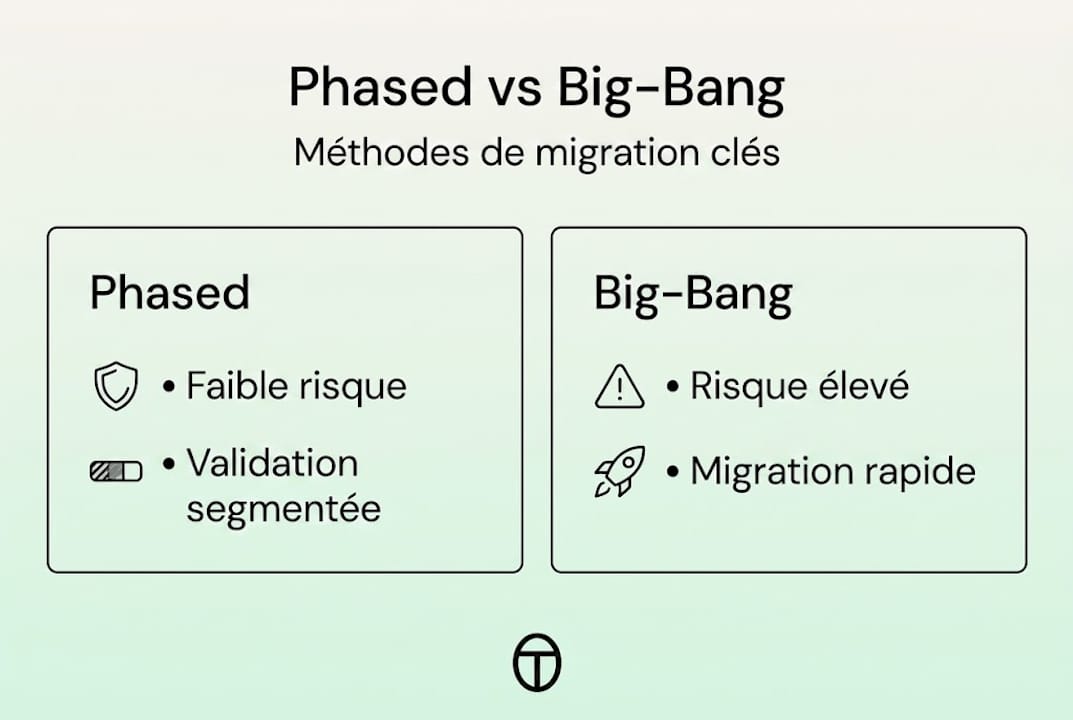
Two approaches are opposed. The big-bang method consists of switching everything over in a single operation, for example, over a weekend. The phased method migrates data by successive categories or markets, reducing risks at each stage. For a high-performing Shopify beauty site, we almost always recommend the phased approach, especially if your catalog exceeds 500 references or if you operate in multiple markets.
Pro Tip: Absolutely avoid redirect chains and temporary 302 redirects. Configure your permanent 301 redirects directly from the start to preserve your accumulated SEO capital.
Migration Steps: Import, Configure, Optimize
Once planning is complete, let's move on to the practical execution, step by step. This is where many brands make irreparable mistakes due to haste.
The 6-Step Process
- Export all your data from the old platform in compatible formats (CSV, XML), checking the integrity of each file.
- Configure your Shopify environment: theme, store settings, currencies, taxes, shipping methods.
- Import product data starting with a test batch of 50 products to validate field mapping.
- Migrate customer and order data in compliance with GDPR rules on consent and data portability.
- Configure redirects URL-by-URL based on your mapping created during the audit.
- Test in a sandbox environment before making the store public.
The testing phase is often sacrificed due to lack of time. This is a costly mistake. Shopify allows you to test your store in private mode, giving you time to validate each user journey without any impact on your existing customer base.

Phased vs. Big-Bang: Direct Comparison
| Criterion | Phased | Big-Bang |
|---|---|---|
| Risk Level | Low | High |
| Total Duration | Longer | Short |
| Management Complexity | High | Moderate |
| Ideal for | Large stores, multi-market | Small catalogs |
The phased methodology reduces risks by allowing each segment to be validated in parallel before switching to the next. For beauty and fashion brands managing thousands of seasonal references, this approach protects both the customer experience and SEO.
Pro Tip: Schedule your switch during an off-peak period, never before or during a major promotional period. Your Shopify beauty migration should start without immediate commercial pressure.
Optimizing User Experience and Post-Migration Conversion
Migration is not just technical: it offers a unique opportunity to optimize your store in depth. Too many brands simply reproduce what they had before. This is a missed opportunity.
Why Redesign UX from Migration?
Shopify offers native capabilities that your old platform probably didn't have: dynamic sections, personalization by segment, optimized checkout, and hundreds of integrations to enrich the purchase journey. Migration is an opportunity to significantly optimize UX, speed, and conversion.
Here are the priority areas to work on during your redesign:
- Navigation and Architecture: simplify menus, reduce the number of clicks to purchase
- Product Pages: enrich visuals, add short videos and visible customer reviews
- Conversion Funnel: activate Shopify's one-page checkout, integrate multiple payment options
- Mobile Performance: ensure each page loads in less than 3 seconds on mobile
- Personalization: highlight product recommendations based on browsing history
“A site must perform as well as it seduces.” This principle guides our approach at Tamara Agency: aesthetics and conversion are not opposed, they reinforce each other.
The results can be spectacular. Salon Supplies, a brand in the beauty sector, doubled its e-commerce revenue and recorded +43% organic impressions after migrating to Shopify. These gains do not only come from the platform change: they result from a simultaneous redesign of the user experience.
To learn more on these topics, our UX/UI conversion guide and our beauty e-commerce strategies provide you with concrete, industry-specific insights.
Verify, Monitor, and Adjust: The 60 Key Days After Migration
After optimization, it is crucial to monitor results and act quickly to ensure sustained performance. The work does not stop at launch.
Key Indicators to Monitor
| Indicator | Recommended Tool | Monitoring Frequency |
|---|---|---|
| Organic Traffic | Google Search Console | Daily (D1 to D30) |
| Conversion Rate | Google Analytics 4 | Daily |
| Core Web Vitals | PageSpeed Insights | Weekly |
| 404 Error Rate | GSC + Shopify Analytics | Daily |
| Revenue | Shopify Dashboard | Daily |
5-Step Post-Launch Action Plan
- Immediately verify that all 301 redirects are working correctly.
- Submit your new sitemap to Google Search Console on launch day.
- Identify pages with falling rankings within the first 7 days and prioritize corrections.
- Analyze user journeys in Google Analytics 4 to detect unexpected friction points.
- Adjust critical pages (home, product pages, cart) based on actual behavior data.
Key figure: A well-managed migration leads to a traffic drop of only 10 to 20%, with full recovery in 4 to 8 weeks. In contrast, a poorly executed migration can cause a 40 to 60% loss of traffic, which is difficult to recover.
Also monitor conversion micro-interactions: small visual cues that guide the user (buttons, confirmations, stock alerts) have a direct impact on the conversion rate, often underestimated in the post-migration phase.
Rigorous monitoring of these first 60 days is what distinguishes a successful migration from one that takes time to show results. Stay proactive, don't just react to data.
Our Perspective: Leveraging Migration to Transform Your Brand
After years of supporting beauty and fashion brands in their transition to Shopify, we have a strong conviction: migration is rarely a simple technical project. It's a pivotal moment.
Brands that make the most of it don't seek to reproduce the existing. They seize the opportunity to rethink their customer experience from the ground up, clarify their positioning, and modernize their offering. This shift in perspective changes everything.
We too often see teams exhausted by technical complexity, who forget the essential: the end customer. However, Shopify provides access to remarkably powerful tools to personalize the purchasing journey and build lasting loyalty. Brands that understand this and invest in best beauty UX practices from the migration create a lasting competitive advantage. Migration is not an end. It's a starting point.
Go Further with Shopify Experts
To maximize the impact of your migration, support from Shopify experts can make all the difference between an ordinary launch and a lasting transformation.

Since 2018, we have been supporting ambitious brands in the beauty, fashion, and wellness sectors at every stage of their development on Shopify. Whether you want to launch your Shopify store creation, improve your performance through our Shopify store optimization service, or calmly plan your migration to Shopify, our team is ready to support you with rigor and passion. Let's talk about your project.
Frequently Asked Questions about Shopify Migration
What are the main risks during a migration to Shopify?
The main risks are service interruption, data loss, and a temporary drop in SEO traffic. 43% of businesses experience this type of incident, making preparation absolutely essential.
How long does it take to recover SEO traffic after migration?
A well-executed migration generates a traffic drop of 10 to 20% with recovery in 4 to 8 weeks. A poorly managed migration can lead to a loss of 40 to 60%, much more difficult to correct.
What cases show the benefits of migrating to Shopify?
Brands like Trévi and Salon Supplies perfectly illustrate the possible gains: Trévi recorded +162% revenue, +47% conversion, while Salon Supplies doubled its e-commerce revenue and gained 43% organic impressions after switching to Shopify.
Which indicators should be monitored in the weeks following migration?
Prioritize monitoring organic traffic, conversion rate, Core Web Vitals, and 404 errors via Google Search Console for 60 days after launch to ensure a quick and healthy recovery.
Recommendation
- Successfully migrating your beauty store to Shopify – Tamara Agency
- Migrating to Shopify I Tamara Agency
- Fashion e-commerce site: succeeding with your Shopify store in 2026 – Tamara Agency
- Optimizing Shopify navigation: complete guide in 2026 – Tamara Agency
- Promote online store: how to sell more in 2025